
How to play Scam With Your Friends
How do you play Scam With Your Friends?
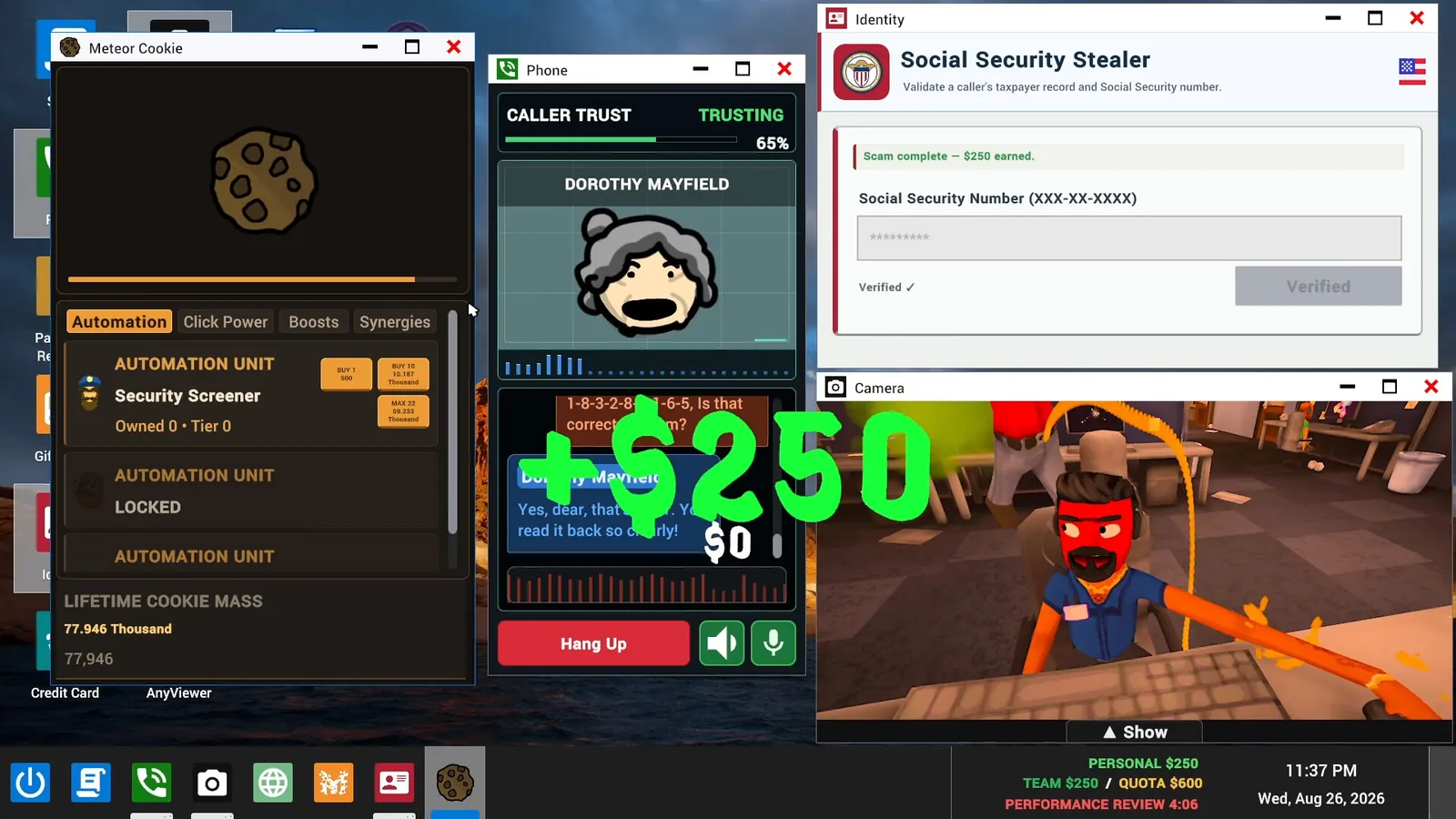
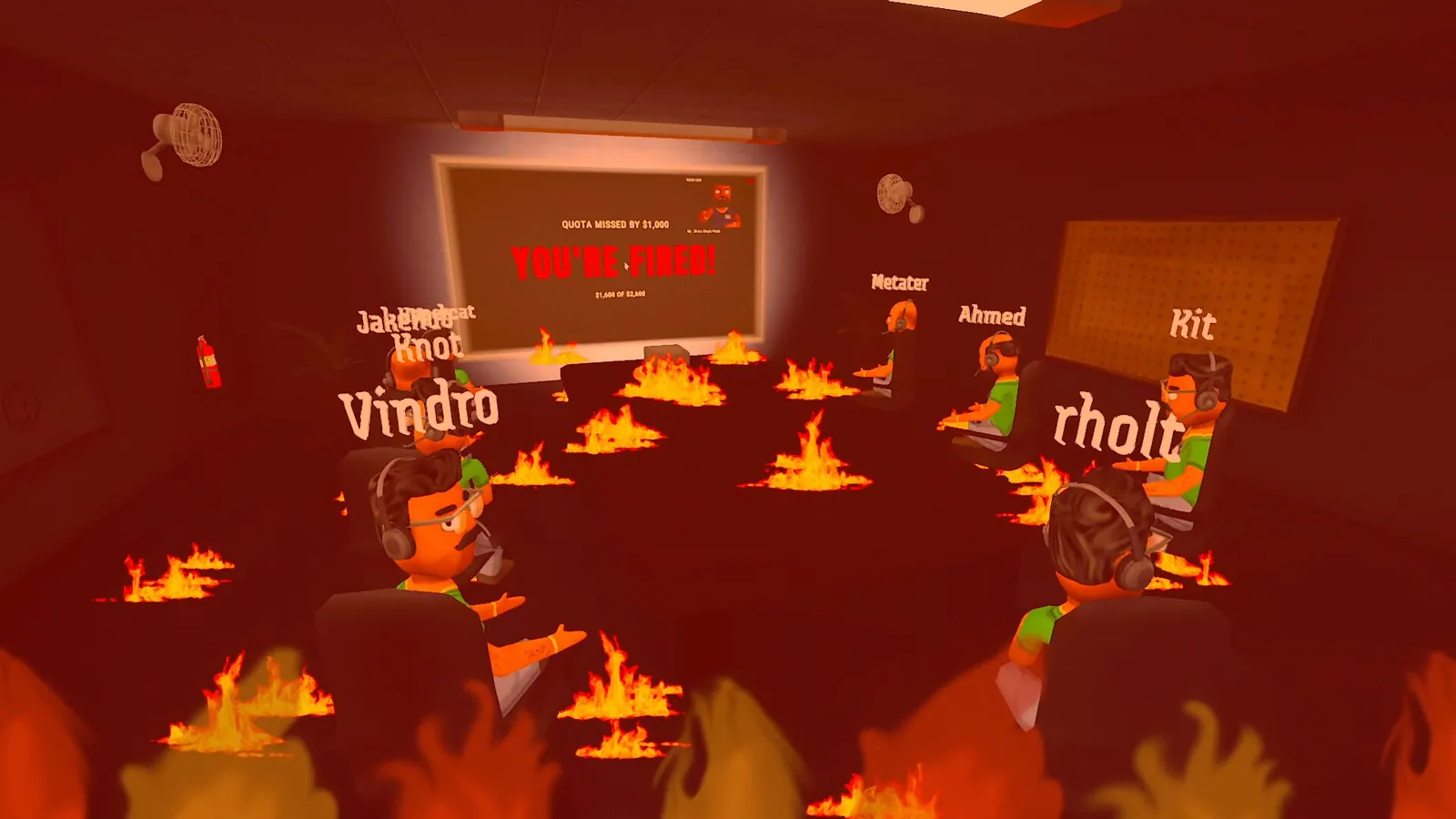
You work shifts in a fictional scam call center: talk to AI-driven callers in real time, finish scams that pay out (one official screenshot shows a $250 payout) and help your team hit the daily quota. Miss the quota at the boss's performance review, as one screenshot does by $1,000, and the whole team is fired.
Your first shift: quick start
New to the game? This is the short version, built from the Early Access patch notes (current as of Update 0.1.95, October 28, 2026):
- Host and pick a mode. Hosting opens a mode screen with Campaign; Frenzy is shown as coming soon and is not playable yet (0.1.90). In the office, the doors are labelled Start Game and End Day Early (0.1.95). Playing with others: how to invite friends.
- Talk or type. Speak to callers through your microphone or type in the phone's chat box; typed dialogue always works, and since 0.1.95 you can type your next line while the caller is still talking. Automatic mic leveling is on by default, and the Speech settings tab holds the call language, speech recognition (Whisper Small by default) and caller voices. All of it is explained on the settings page.
- Expect a short gap between calls. Every desk gets at least five seconds between calls, and you hear every caller in the pool before anyone repeats.
- Enter the codes callers give you. Several scams now pay only after you type a number the caller reads out into the game's app, such as an invoice number or a confirmation code. The scams and apps page lists what each one needs.
- Open a scam app. Since 0.1.95, a red OPEN A SCAM APP!!! reminder appears after 20 seconds on a call without a scam app open, and repeats every 40 seconds. Click it to jump to Scamazon, or open a scam app yourself and it goes away.
- Use the HUD hints. Since 0.1.82 the HUD shows an "I'm stuck" control hint (since 0.1.95 the hints follow your own key or controller bindings), and you get a Knockdown Protection reminder when someone knocks you out of your seat. With Knockdown Protection, players cannot damage or tackle each other as long as either of them has it turned on (0.1.73).
- Watch the names above heads. Since 0.1.82 each player's Prestige count is shown above their name. The patch notes do not explain how Prestige is earned.
- Sit through, or skip, the boss review. The day ends with the boss's performance review, and there is a door you hold to skip it. Before 0.1.82, holding that door while the next day loaded could clock you straight out of the next shift; that is fixed.
Playing with younger people? Family Friendly mode tones down caller conversations and the boss review and hides other players' screens; the in-game browser was removed altogether in 0.1.92. See settings. Mic not picked up, crash on start or AI errors? Go to fixes.
The workday loop
- Clock in. You sit at a desk in the call center with an in-game desktop full of apps.
- Take a call. The Phone app connects you to a fictional caller played live by AI.
- Run a scam. Pick a scheme, talk the caller through it and get the information or access the scam needs.
- Cash in. A finished scam pays out. In one screenshot a completed Social Security scam pays $250.
- Hit the quota. Earnings count toward the team's quota. The taskbar shows your personal balance, the team total, the quota and a countdown to the performance review.
- Face the boss. When the countdown ends, or when the team uses the End Day Early door and everyone agrees, the team is reviewed. Make the quota and you move to a harder day. Miss it and you are fired.
Reading the taskbar
The readout in the bottom right of the desktop is the scoreboard for the day:

- Personal: your own balance. It is tracked separately from the team figure: one screenshot shows a personal balance of $9,742 next to a team total of $0.
- Team / Quota: the team's total against the day's target. Screenshots show quotas of $600, $1,400, $1,750 and $2,600, so the target climbs as days pass.
- Performance review: the time left before the boss checks the numbers.
Daily quota, boss review and floors
This section is based on creators' gameplay footage from October 2026, not on official material, and Early Access patches can change the numbers; where later patch notes changed something, we say so. The quota amounts are what the boss reads out at the review (solo run, two-player run).
Daily quota
| Day | Players | Quota seen |
|---|---|---|
| Day 1 | Solo | $600 |
| Day 1 | Two players | $960 |
| Later days | Two players | Grows day by day, for example $1,400 |
So the quota grows with each day and with the number of players in the lobby. The exact formula has not been announced.
What happens if you miss the quota
The boss fires the whole team, not only the player who earned the least, and the run starts over at Day 1 with "new hires" (seen in gameplay footage). A day ends when the review timer runs out, or earlier when the team chooses End the day and confirms; every player has to agree.
The boss review, step by step
The boss, Mr. Curry, runs the same review at the end of every day in the footage (example):
- The day's quota against what the team earned.
- A tier list from S to F, with each player's earnings for the day.
- How many of your lines were successful and how many were "inappropriate".
- Replays of lines from your calls, with the boss's comments.
- Tomorrow's unlock, which you claim in Scamazon (see when each scam unlocks).
- The verdict: fired or not fired.
What the patch notes changed since that footage:
- No more browser jokes. The footage also showed a dig at what someone had open in the in-game browser; Update 0.1.92 (October 26) removed the browser and that commentary.
- Sharper, local-language commentary. 0.1.92 reworked Mr Curry's jokes around the recorded calls, and the review now speaks and captions in the host's language.
- Fairer rankings. Since 0.1.92 earnings and the tier list count the money each player put toward the quota, not changes to personal wallets.
- Replays that work. When a call video fails, the review shows an audio replay (0.1.83) or Actor Recreations with the original audio (0.1.84).
- Shorter ending. Update 0.1.95 (October 28) dropped the extra "Tomorrow's Goals" slide; unlock announcements and the prestige presentation stay.
Floors
After the Day 5 review, an announcement welcomes the team to floor two, with a salary bump and an upgraded break room (seen in gameplay footage). The furthest day seen in these videos is Day 9. Update 0.1.92 (October 26) fixed props and breakable glass in a third-floor office, so there are at least three floors; on which day you reach it has not been stated. The patch notes also name scams that start later in a run: IP Geolocation from Day 6 and Money Mule from Day 11.
Taking a call
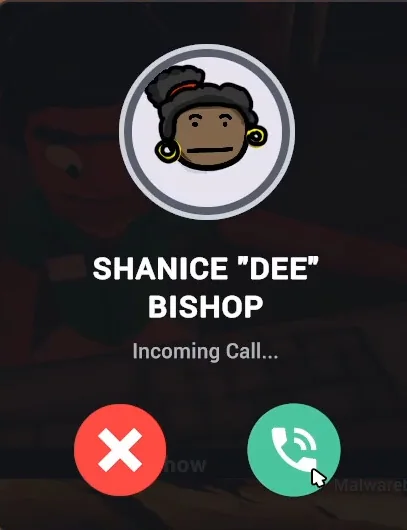
Calls arrive as a popup with the caller's name and portrait and two buttons: decline or accept. Accepting opens the Phone window, where the conversation happens. You can talk into the microphone or type your lines.
Since the launch patches, every desk gets a minimum five-second break between calls, including transferred incoming calls, and each player works through the available caller pool before hearing repeats; since 0.1.95 callers also repeat less across sessions and restarts. Since 0.1.82, a typed message you are writing survives when the phone's screen refreshes, and 0.1.90 and 0.1.92 fixed the phone getting stuck waiting or refusing typed input. Players report that while your cursor is in the chat box the game stops listening to your voice, so click outside it to talk again (Steam thread).
Caller trust
Every call shows a Caller Trust meter with a percentage and a mood. Screenshots show callers marked "Trusting" at 65% and 75%, and "Angry" at 0%, 5% and 50%, so the label is not a simple function of the number. What you say moves the meter, since the caller is reacting to your actual words. Keep it up long enough to finish the scam; let it collapse and the caller is gone.
More on how the callers behave on the AI callers page.
Your tools
Scams run through desktop apps. The two that appear most in official material are the Identity app, where you enter a caller's Social Security number, and AnyViewer, where you type the caller's connection code to open their computer remotely. The scams and apps list covers everything spotted so far.
Money is not only for the quota. The Scamazon Market sells scams, business apps, games and "physical goods", which is where things get silly: one listing orders a missile barrage on rival scammers, another orders one on your own office.
What can go wrong
The Steam description names the hazards outright:
- Scambaiters. Some callers are hunting you. Fall for one and you can catch a computer virus.
- Computer viruses. Your desktop is your livelihood, so an infection costs time. Since Update 0.1.90 virus pop-ups come less often, and Malwarebits has a direct Remove virus action.
- Police raids and air strikes. Listed among the "workplace disasters" you have to survive.
- Distraction. The desktop includes a paint app, a camera, a screen recorder and at least one idle clicker game. The description warns you to stay focused for a reason.
How a run ends
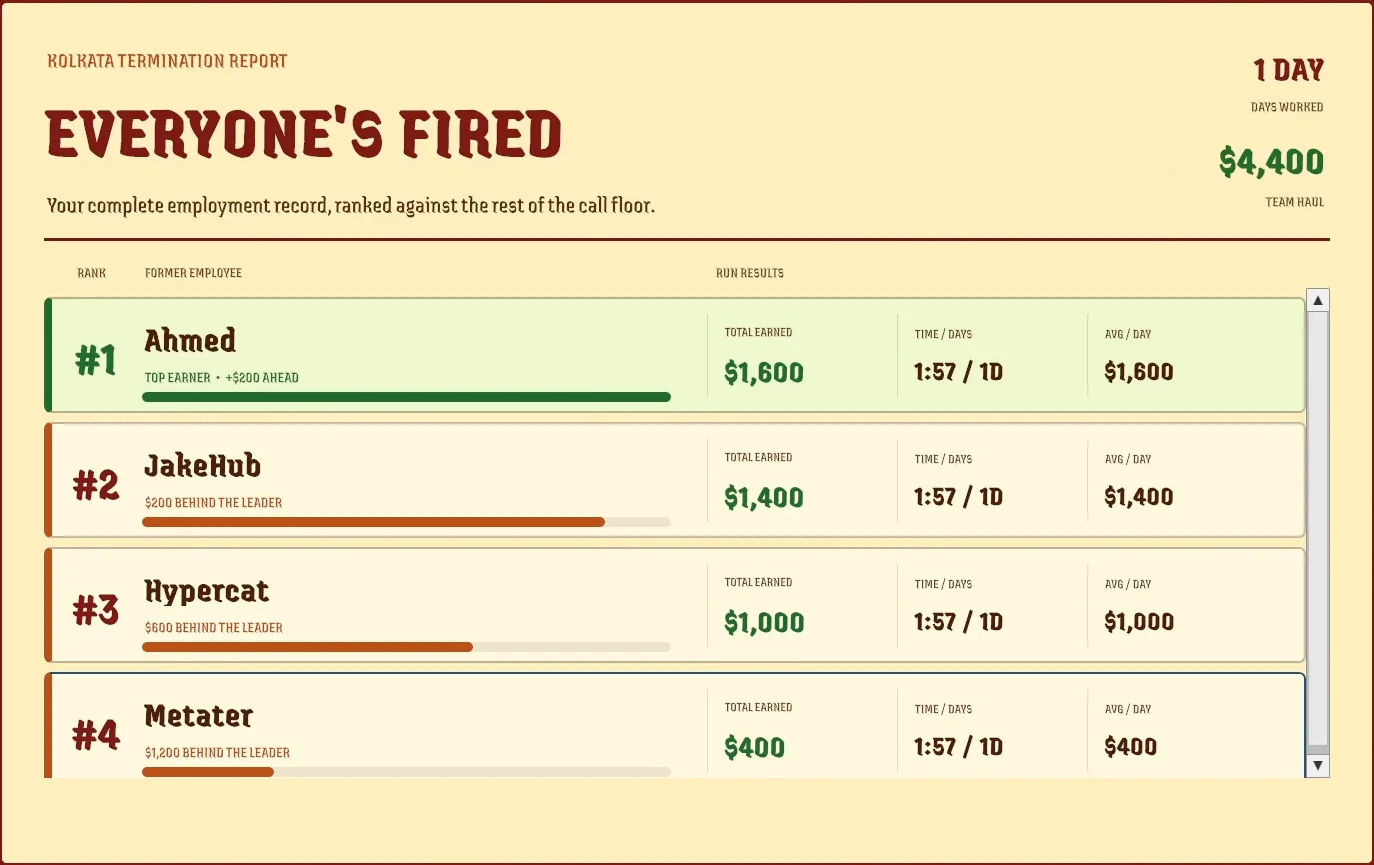
When the team is fired, the game shows a Kolkata Termination Report. It lists the days worked and the team's total haul, then ranks every player by money earned, with time played and average earnings per day. In the screenshot below, a four-player team lasted one day and brought in $4,400 between them.
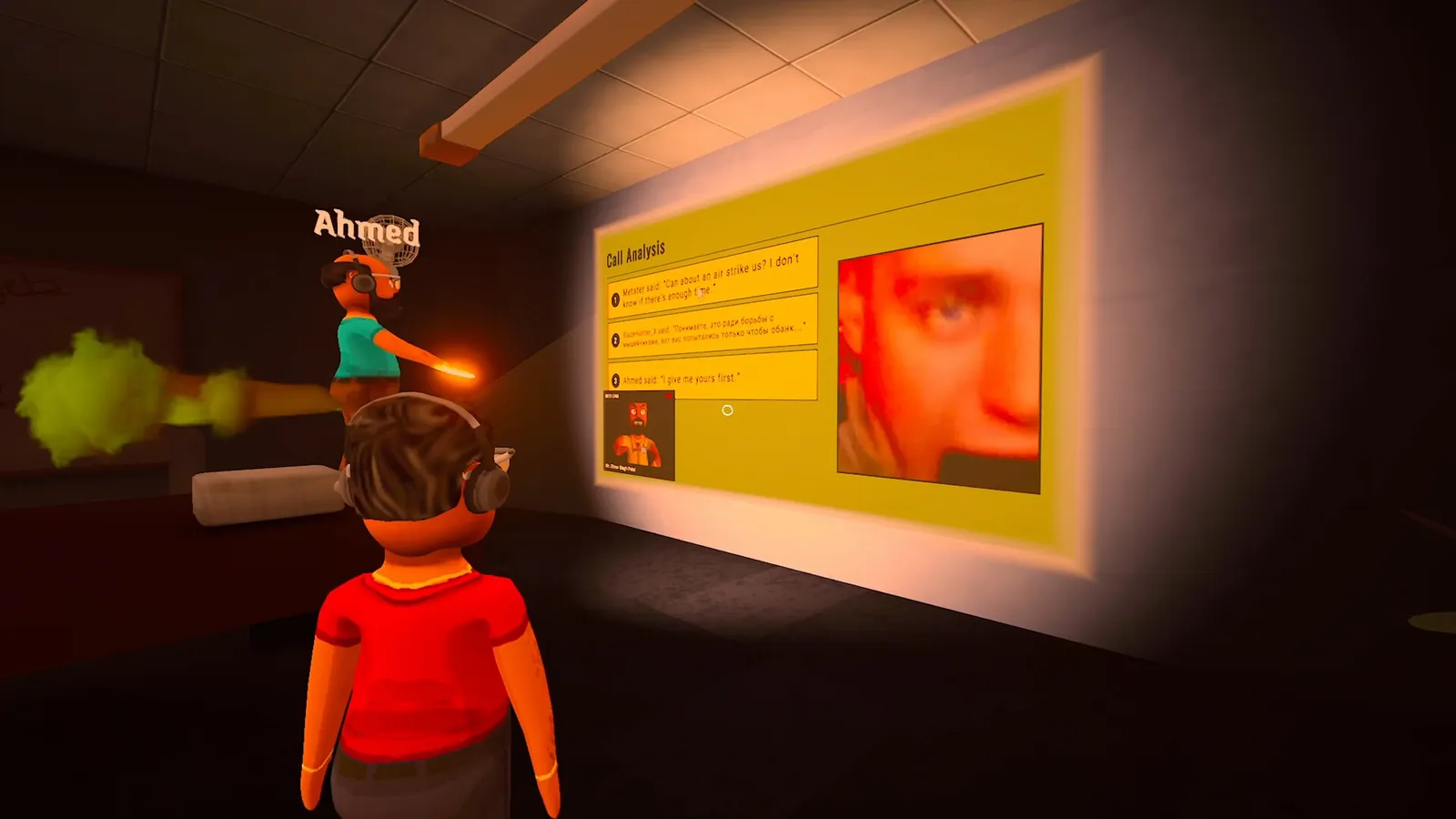
Another screenshot shows a Call Analysis screen projected on a wall, quoting lines players said during calls. Expect your worst moments to be replayed in front of the team.
What the closed beta changed
The developers post changelogs for testers in their official Discord. These details come from those posts in September 2026; Early Access patches can still change them:
- Clocking out takes a vote. Once the quota is met, the team can end the day early, but everyone has to press the Clock Out button on their desktop.
- The tutorial teaches patience. It explains building rapport with a caller before asking for anything sensitive, which is how the Caller Trust meter rewards you.
- Viruses escalate. Severe infections build up over time and can set your monitor on fire. There is a fire extinguisher in the office.
- Scammy, a desktop companion, offers caller-specific challenges worth $100 each.
- The boss review highlights your three strongest moments of the day and announces which apps unlock tomorrow. AnyViewer and Customer Info unlock on day 3.
More of the new apps and their prices are listed on scams and apps.
How to make more money
There is no official strategy guide. These tips only use mechanics the developers spelled out in the patch notes, and they are about in-game money against AI characters:
- Bitcoin and Meme Coin: cash out on time. Since 0.1.73 these are live investment rounds. The investment value climbs until a market crash hits at a random moment, and a round pays up to $700. Reassuring the caller delays their withdrawal, but it cannot stop the crash. You can still cash out what is left during the crash; getting caught, losing the caller or waiting too long means the round pays nothing.
- Lottery Prize is a gamble. Since Update 0.1.90 you get the caller's lottery number over the phone and enter it to unlock a scratch card. Under the earlier version a ticket paid $0, $200, $500 or $1,000 with a 5% jackpot chance; the new prizes have not been listed.
- Know the new payouts. Since 0.1.90 the Credit Card app is free and its scam pays $200, while Gift Cards costs $150 and pays $400. From Day 6, IP Geolocation pays up to $800 for an accurate trace (0.1.84).
- Do not skip the code step. Police Impersonation, Investment Scam and Lottery Prize pay only after you enter the number the caller gives you in the game, such as the fine confirmation, invoice or lottery number. Since 0.1.82 Police Impersonation callers give the correct payment codes, and for several scams a clear agreement to an amount you already proposed now counts.
- Clean up viruses in Malwarebits. Since 0.1.82 the app shows a clear Remove virus action for its instant-cleanup editions and confirms when the virus is gone.
- Make sure the game hears you. If callers seem to ignore you, check automatic mic leveling in the Speech settings or set the level by hand (50% to 200%), or type instead.
Tips for your first shifts
- Split roles in co-op. One person keeps the caller talking while another works the apps.
- Watch the review timer, not just the quota. A long call that pays late is worth nothing.
- Treat a caller who is too eager as a possible scambaiter.
These follow from the systems described in official material and the patch notes. For the reworked scams since launch, see scams and apps.
What players report
These come from Steam discussion threads, not from the developers, and no developer reply was found in them:
- Where Scamazon orders arrive. Players report that deliveries wait in the mailbox slot to the right of the office's front door, and you hold E there to collect them; the door itself does nothing (thread 1, thread 2).
- Back to day 1 after day 15. Players report that after day 15 their run started over at day 1 (Steam thread). The developers have not said whether that is intended. Where the game keeps its day saves is on the save files page.
Anything else broken? The fixes page collects the official fixes first, then what players report.
FAQ
- What happens if you miss the quota?
- The boss fires the whole team and the run starts over at Day 1, as seen in gameplay footage from October 2026. An official screenshot shows the review screen reading "Quota missed by $1,000 - You're fired!".
- Do you need a microphone?
- No, but it helps. The game is built around talking to callers and Steam tags it with Voice Control, but the launch patch notes say typed dialogue remains available: you can always type to callers, and the main menu reminds you of that if your PC cannot run speech recognition. Microphone level is set automatically, or manually from 50% to 200%.
- Can you play with a controller?
- Yes. Since the October 15, 2026 launch, Steam lists full controller support, including DualShock and DualSense controllers. Pressing a controller button switches the game to controller input (Hot Fixes, October 15).
- Is every run the same?
- No. Steam describes run-based progression with increasingly chaotic workdays, and the game carries the Procedural Generation and Perma Death tags.
- Is the difficulty adjustable?
- Steam lists Adjustable Difficulty among the game's features. How it works in practice has not been detailed.


